
Your CFO just asked why Marketing installed three new apps last quarter without IT review. Your CRO wants to know who approved the data sync that's now pushing contact records into a tool nobody remembers buying. And your compliance lead is asking for evidence that the departing contractor's access was revoked before their last day.
These aren't hypothetical scenarios. They're the operational reality of running a CRM that connects to dozens of third-party applications, each with its own permissions, data flows, and lifecycle dependencies. HubSpot now has more than 1,500 apps in its marketplace, and the integration count keeps climbing. That's a governance surface, not just a convenience layer.
The Shared Responsibility Model
HubSpot runs a mature security program. The platform maintains SOC 2 Type 2 certification, encrypts data in transit and at rest, and provides GDPR-oriented tooling. But here's what matters for your next board conversation: HubSpot secures the platform and infrastructure. You are responsible for who has access, what they can do once inside, and how your data is classified, retained, and governed.
Nearly every avoidable incident originates on the customer side of that line, not the platform's. Misconfiguration, over-permissioning, and undocumented integrations create the exposure. The platform gives you the controls; the question is whether your team has operationalized them.
What App Governance Actually Looks Like
HubSpot's app governance framework gives Super Admins four levers:
- Approve which apps can be installed
- Limit installation to specific users or teams
- Customize optional data permissions for each approved app
- Revoke approval when the business need ends
That last action uninstalls the app for all users who previously connected it, with changes taking up to 30 minutes to propagate.
The workflow is straightforward. Non-admin users who attempt to install an unapproved app submit a request. Super Admins receive these requests as notifications and can review, approve, or deny. Pre-approval is also possible: you can whitelist apps before anyone asks, which reduces friction for tools you've already vetted.
What's excluded from this governance layer? HubSpot-built apps like Gmail, Outlook, LinkedIn, and the major ad platforms are managed through their existing permissions in HubSpot, not through the app governance console. That's a design choice, but it means your governance policy needs to account for those integrations separately.
The Audit Trail Question
Super Admins can view and export a centralized audit log covering login history, security activity, and content changes. Enterprise accounts get additional filtering by category, subcategory, and action type. The log records HubSpot-user-based actions; updates made by integrations or form submissions won't appear unless a user triggered them.
For AI governance specifically, HubSpot's framework extends permission controls to AI agents, treating them like users with role-based access. Audit trails capture automated actions, and administrators can configure access rules so agents interact only with the data required for their assigned tasks.
This matters because AI systems increasingly influence decisions that affect revenue, customer relationships, and operational workflows. Without proper controls, automated systems may unintentionally update records, trigger communications, or influence decision-making in ways that create operational risk.
Where Governance Breaks Down
Every connected app widens the identity surface, adding lifecycle, permission, and oversight work across your SaaS environment. The practical question isn't whether an app works inside HubSpot. It's whether your surrounding access model, app ownership, and offboarding process can keep pace as the number of connected tools grows.
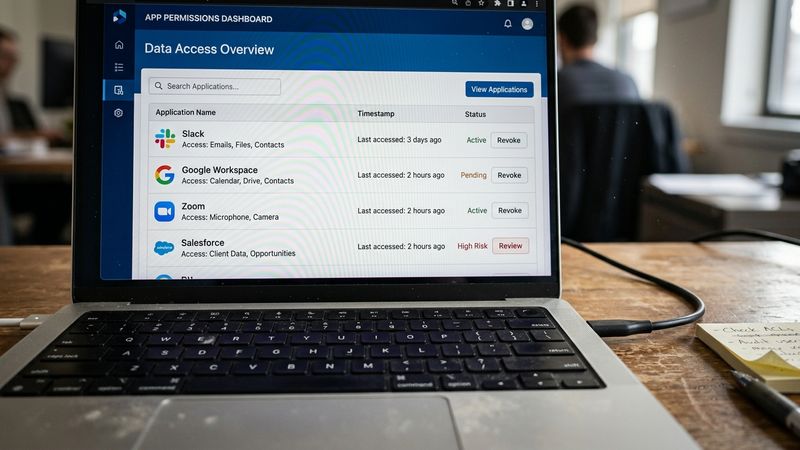
Three failure modes show up repeatedly. First, inactive apps keep their access longer than the business need that justified them, leaving valid credentials and stale permissions in place. Second, OAuth connections are bound to specific user accounts; when that user's permissions change or they leave the company, the app connection persists but becomes unmanageable. Third, bi-directional syncs can spread protected data across systems faster than most governance programs can track.
A practical governance framework follows a sequence: define policies and owners, secure access with least privilege, standardize the data model, approve high-risk changes, govern integrations, monitor and alert, and capture evidence. The goal is to make the compliant path the default path, not an exception that requires extra effort.
The CFO Conversation
What does this mean for your next pipeline review or board prep? Three things.
First, app governance is a cost control mechanism. HubSpot Professional seats cost $90-$150 per user monthly depending on the hub. A single overlooked inactive account wastes over $1,000 per year. Multiply that by the number of apps with their own seat costs, and the governance gap becomes a budget gap.
Second, audit evidence is a compliance requirement, not a nice-to-have. When your compliance lead asks who approved what and when, the answer needs to be in the system, not reconstructed from email threads. Store release notes, approvals, and audit-ready artifacts so you can prove compliance without reconstructing history.
Third, integration governance is identity governance. Treat each integration as a delegated identity relationship, not a simple plugin. Security teams should require ownership, approval, periodic review, and removal procedures for every app that can access data, tokens, or workflows.
A Two-Week Pilot
If you're starting from scratch or inheriting a portal with unknown integration sprawl, here's a tight pilot plan.
Week one: inventory all connected apps, identify owners (or lack thereof), and document which apps have access to sensitive data. Flag any apps installed by users who have since left the organization.
Week two: establish an approval workflow for new apps, revoke access for apps without clear business justification, and schedule quarterly access reviews. Document the process so it survives your next reorg.
The risk isn't that HubSpot lacks the controls. The risk is that the controls exist but nobody has operationalized them. Your CFO doesn't need to know the technical details of OAuth scopes. They need to know that Marketing can't install data-touching apps without IT review, that departing employees lose access on their last day, and that you can prove both of those things when asked.
Model or it didn't happen.


