
Wiring Asset Studio Into Performance Max in 2026 Without Losing Per-Variant CPL: The Parallel Asset Group Split
Your CFO just asked why CPL jumped 23% last month. You know the answer: the creative team pushed a batch of new Asset Studio images into your Performance Max campaign, and Google's algorithm blended them with everything else. Now you can't tell which variants drove the spike. The aggregate number is useless for the board deck, and you're back to defending spend without a model.
This is the operational trap most B2B marketing teams fall into when they adopt Google's Asset Studio for Performance Max. The tool solves the creative bottleneck beautifully: AI-generated lifestyle images, bulk transformations, brand-consistent outputs at scale. But the moment those assets enter a single PMax asset group, you lose the per-variant cost visibility that makes marketing defensible to finance.
The fix isn't to avoid Asset Studio. It's to structure your asset groups so that each creative variant runs in isolation long enough to generate statistically valid CPL data before you consolidate winners.
The Measurement Problem Asset Studio Creates
Performance Max now drives 45% of Google Ads conversions, which means most B2B demand gen teams can't ignore it. The campaign type combines up to 15 headlines, 5 descriptions, 20 images, and 5 videos per asset group, and Google's AI assembles them into ad combinations on the fly. That's the efficiency promise. The measurement cost is that you never see which specific image-headline-description combination produced a given lead.
Asset Studio compounds this by making it trivially easy to generate dozens of image variants in minutes. A product shot becomes a lifestyle scene with a text prompt. You can transform 100 images at once with new backgrounds. The creative velocity is real. But if you upload all those variants into a single asset group, Google's algorithm will favor whichever combinations drive the most conversions at your target CPA, and you'll have no idea whether the new AI-generated images are performing better or worse than your original photography.
For lead gen, this matters more than for ecommerce. B2B SaaS CPL benchmarks range from $63 to $237, and the variance between a good creative and a bad one can easily be 40%. If you can't isolate that signal, you can't optimize. You're just hoping the algorithm figures it out.
The Parallel Asset Group Split
The solution is to run new Asset Studio variants in a parallel asset group within the same Performance Max campaign, rather than mixing them into your existing asset group. This preserves the campaign's learning history while giving you clean per-variant CPL data.
Here's the structure:
Asset Group A (Control): Your existing assets, the ones with proven performance data. These continue running at your current tCPA or tROAS target. No changes.
Asset Group B (Treatment): Your new Asset Studio variants. Same audience signals, same search themes, same final URLs. The only difference is the creative assets.
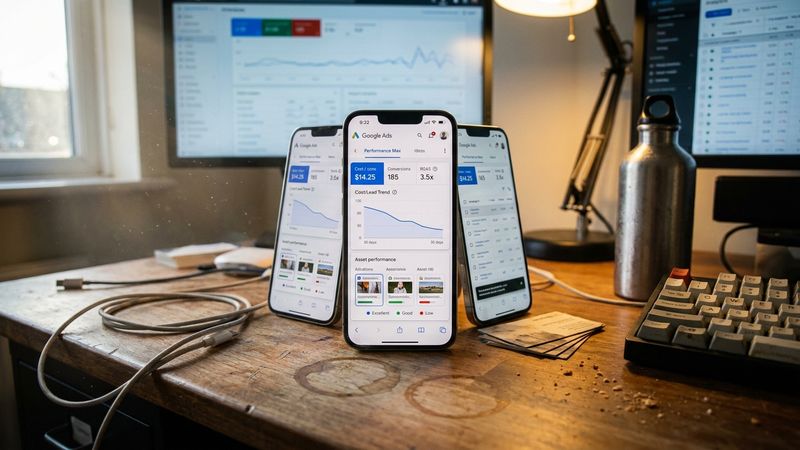
Both asset groups compete for the same inventory within the campaign. Google's algorithm will allocate impressions based on predicted conversion rates, but you'll see separate performance metrics for each group. After four to six weeks (the minimum Google recommends for statistical significance), you can compare CPL, conversion rate, and lead quality between the two.
This isn't the same as Google's new A/B testing beta for assets, which splits traffic within a single asset group. That feature is useful for testing headline variations or swapping a few images, but it locks your assets during the experiment and limits you to one asset group per test. The parallel asset group approach gives you more flexibility: you can run multiple treatment groups simultaneously, and you can pause or adjust individual groups without disrupting the entire campaign.
Avoiding the Learning Phase Trap
The risk with adding a new asset group is that it triggers a learning phase that destabilizes your campaign. PMax learning periods typically run six to eight weeks, and during that time, performance can be volatile.
You can minimize this by keeping your control asset group unchanged and ensuring your treatment group has enough budget headroom to generate conversions. The rule of thumb is 30+ conversions per month per asset group to exit learning. If your campaign is already hitting that threshold, adding a second asset group shouldn't reset the entire campaign's optimization, though you should expect some short-term variance.
The other safeguard is to match audience signals exactly between groups. If your control group targets a custom segment of CRM contacts plus in-market audiences for enterprise software, your treatment group should use identical signals. The only variable should be the creative assets. This isolates the signal you're trying to measure.
What to Measure and When to Consolidate
After four weeks, pull CPL and conversion rate for each asset group. If your treatment group (Asset Studio variants) is within 10% of your control group's CPL, you have a viable creative set. If it's outperforming, you've found a winner. If it's 20% or more behind, pause the treatment group and iterate on the creative before testing again.
The consolidation decision depends on your risk tolerance. Some teams merge winning assets into the control group immediately. Others run the parallel structure indefinitely, using the treatment group as a permanent testing lane for new creative. The second approach adds operational overhead but gives you continuous learning velocity.
For board reporting, the parallel structure lets you show CPL by creative variant, not just campaign-level aggregates. You can say: "Our AI-generated lifestyle images are producing leads at $87 CPL versus $102 for our original product shots, a 15% improvement." That's a defensible number. It ties creative investment to pipeline economics.
The Asset Studio Workflow That Preserves Measurement
When you generate new assets in Asset Studio, don't upload them directly to your existing asset group. Instead:
- Generate variants in Asset Studio using your brand guidelines as style references (this keeps outputs on-brand).
- Export to your asset library without attaching to any campaign.
- Create a new asset group within your existing PMax campaign.
- Upload the new variants to the treatment asset group only.
- Run for four to six weeks before evaluating.
Asset Studio's shareable preview feature lets you circulate creative concepts with stakeholders before they go live, which reduces the risk of uploading assets that violate brand guidelines or policy. Use this step to catch problems before they contaminate your test data.
The CFO Conversation
The parallel asset group split isn't just an optimization tactic. It's a governance structure that makes marketing spend auditable. When finance asks why you're investing in AI-generated creative, you can show them the CPL delta between your control and treatment groups. When they ask whether Performance Max is working, you can break down performance by creative variant rather than shrugging at a campaign-level number.
Model or it didn't happen. The parallel split gives you the model.


