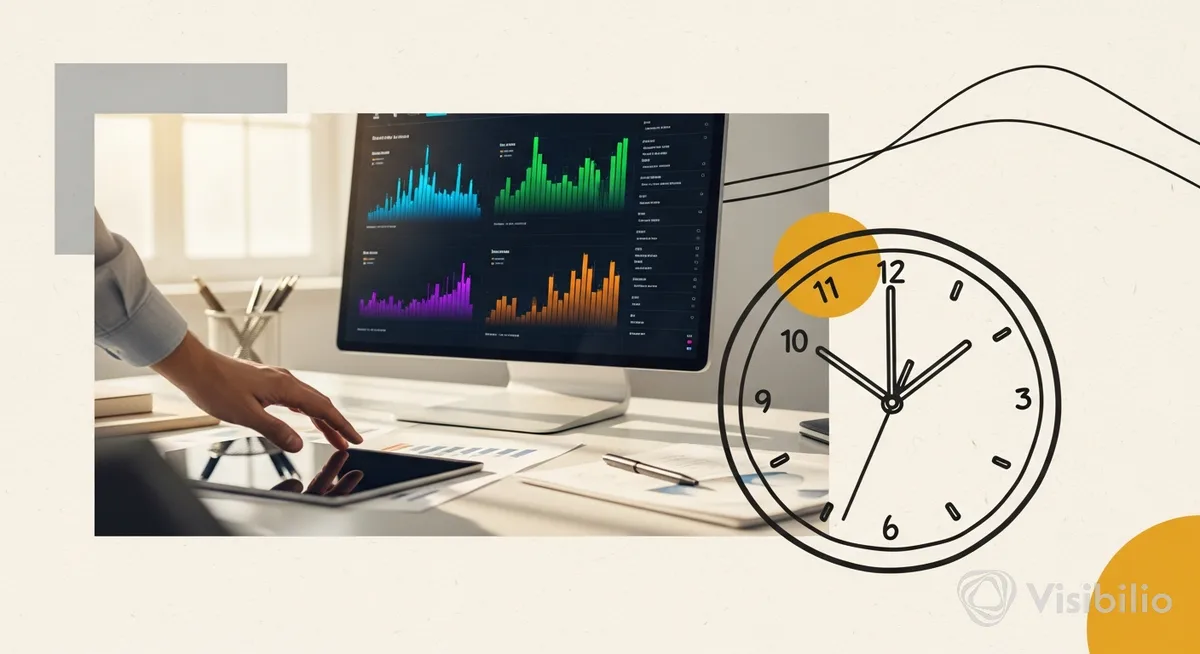
If your weekly Google Ads readout is slow and CPA is creeping up, the constraint usually isn’t “more data”—it’s time-to-insight. Google’s new Gemini-powered Dashboards aim to shrink the loop from “something looks off” to “here’s the slice that changed” by letting you ask questions in natural language and getting real-time visual breakdowns back.
That sounds like a small UX tweak. It isn’t. When the reporting lag is the bottleneck, teams don’t run experiments—they run opinions.
Google says the feature is a new “Dashboards” experience in Google Ads powered by Gemini, with a conversational interface that can generate interactive charts, graphs, and tables for core metrics like impressions, clicks, video views, and cost. It also supports real-time breakdowns across devices, audiences, and campaign types. (Sources: Search Engine Land; PPC News Feed.)
Why this matters right now: Google’s AI ad story is splitting in two
There’s an odd tension in Google’s current AI messaging. On one hand, leadership has said the Gemini app won’t have ads—DeepMind CEO Demis Hassabis said “Gemini won’t get ads, at least for now,” and Google’s VP of Global Ads Dan Taylor said there are “no plans for ads in the Gemini app.” (Source: Bleeping Computer.)
On the other hand, Google SVP Nick Fox has also said Google is “not ruling out” ads in Gemini, and that learnings from ads in AI Mode would “likely carry over” to Gemini’s user base. (Source: The Keyword.)
So what’s actionable for a demand gen leader in 2026? Not the speculation about “Gemini app ads.” The live, practical change is this: Google is pushing AI deeper into the operating system of paid media—how you read performance, how you segment it, and how fast you can make a decision without waiting on a custom report.
And that’s the real win. Not automation. Cycle time.
One move: use Gemini dashboards to run a weekly “variance hunt” (then act)
The primary tactic: turn the new prompt-driven Dashboards into a repeatable variance hunt that feeds your experiment backlog. Not a pretty report. A decision engine.
Dashboards are customizable via prompts—type a question, the dashboard updates. (Source: Search Engine Land.) That means the operator play isn’t “build dashboards.” It’s “standardize the questions.” Same prompts every week. Same cuts. Same definitions. Faster detection of what changed.
The hypothesis (make it falsifiable): If we run a weekly variance hunt in Gemini-powered Dashboards using a fixed prompt set, then time-to-insight will drop and we’ll ship more controlled budget/creative/audience experiments, because we’ll identify the specific segments driving swings (device, audience, campaign type) without waiting on manual reporting.
Keep it directional. Platform reporting is not incrementality proof. But speed matters—especially when Google is also expanding automated campaign types like Performance Max and adding more AI features across the stack (including AI-powered Brand Recommendations for awareness/consideration campaigns). (Source: Google Ads Help.)
Prompt library (copy/paste) for the variance hunt
Use these as your fixed weekly set. The point is consistency, not cleverness.
- Segment shift: “Show clicks, cost, and conversions split by device for the last 7 days vs prior 7 days. Highlight biggest changes.”
- Audience drift: “Break down performance by audience for the last 7 days vs prior 7 days. Which audience segments increased spend the most?”
- Campaign mix: “Show cost and conversions by campaign type (Search, Video, Performance Max) for last 7 days vs prior 7 days.”
- Creative fatigue signal (proxy): “For video views and clicks, show trend lines by campaign for last 14 days. Which campaigns show declining engagement?”
Notice what’s missing: no pretending this tells you qualified pipeline. This is an early-warning system for paid media signals that tend to precede downstream problems.
Run it this week: setup, owners, timeline, and guardrails
Here’s the 5-minute version you can run this week:
- Owner: Paid media lead runs it; RevOps (or analytics) sanity-checks metric definitions once, then spot-checks monthly.
- Cadence: 30 minutes every Monday before pipeline review. Same prompts. Same comparison windows.
- Scope: Start with your top 2 spend campaigns (or campaign types) only. Expand after 2 weeks.
- Tools: Google Ads Dashboards (Gemini-powered). No new stack required.
Setup: Write down your definitions in one place: what counts as a conversion in Google Ads for optimization, what’s considered an MQL/SQL in your CRM, and what attribution model you’ll use for directional readouts. The dashboard can’t fix mismatched definitions. Nothing can.
Launch: Run the prompt set. Pick one “largest variance” and force it into a testable statement. Example: “Mobile spend rose +X% while conversion rate fell.” (Leave X blank if you don’t have it; don’t invent numbers.)
Readout: Decide whether the variance is a measurement artifact, a mix shift, or a real performance change. Then pick one action: budget reallocation, creative refresh, or audience signal adjustment.
Next test: Log it. If the variance repeats next week, it graduates into a controlled experiment with a baseline and a stop-loss.
Success metrics and stop-loss
- Primary success metric: Time-to-insight (minutes from “something changed” to “the segment that drove it”).
- Secondary metrics: # of experiments shipped per month; % of spend under active test vs “set and stare.”
- Guardrails: Don’t change budgets based on a single slice unless the movement persists across two reads (weekly) or is operationally urgent (tracking break, spend spike).
- Stop-loss threshold: If an action increases CPA beyond your internal ceiling for two consecutive weekly reads, revert and document the failure mode.
The trade-off: faster insights also mean faster self-deception
Prompt-driven dashboards make it easier to get a story. They don’t guarantee it’s the right one.
The failure mode is familiar: a slick chart, a confident narrative, and a budget move that “worked” in-platform but didn’t move qualified pipeline. That’s why governance matters more as the UI gets faster—consistent definitions, attribution alignment (directional), and basic QA before acting on a new cut.
Also, Google’s own public posture on ads in Gemini is cautious and sometimes contradictory. Hassabis: “Gemini won’t get ads, at least for now.” Dan Taylor: “no plans for ads in the Gemini app.” Nick Fox: “not ruling out” ads in Gemini, and AI Mode learnings may carry over. (Sources: Bleeping Computer; The Keyword.) The practical conclusion: focus on what’s shipping inside Google Ads today, and treat AI search ad tests as a separate track—not something the new dashboards magically solve.
The circle closes back at the constraint from the opening. When reporting is slow, teams argue. When the insight loop tightens, teams test. Gemini-powered Dashboards won’t create incrementality on their own—but they can make the next experiment happen before the quarter is over.


